GrokBot: How to Set Up xAI's Always-On AI Teammates to Find Leads, Watch Your Ads, and Draft Your DMs
GrokBot is xAI's real product, Elon Musk's always-on AI teammates that sign into your tools and finish whole jobs on their own. How to set one up, the three jobs I'd point it at first (leads, Facebook Ads Manager, WhatsApp and Instagram outreach), and the official trick for running bots that manage other bots.

AI & Web Consultant · September 15, 2026
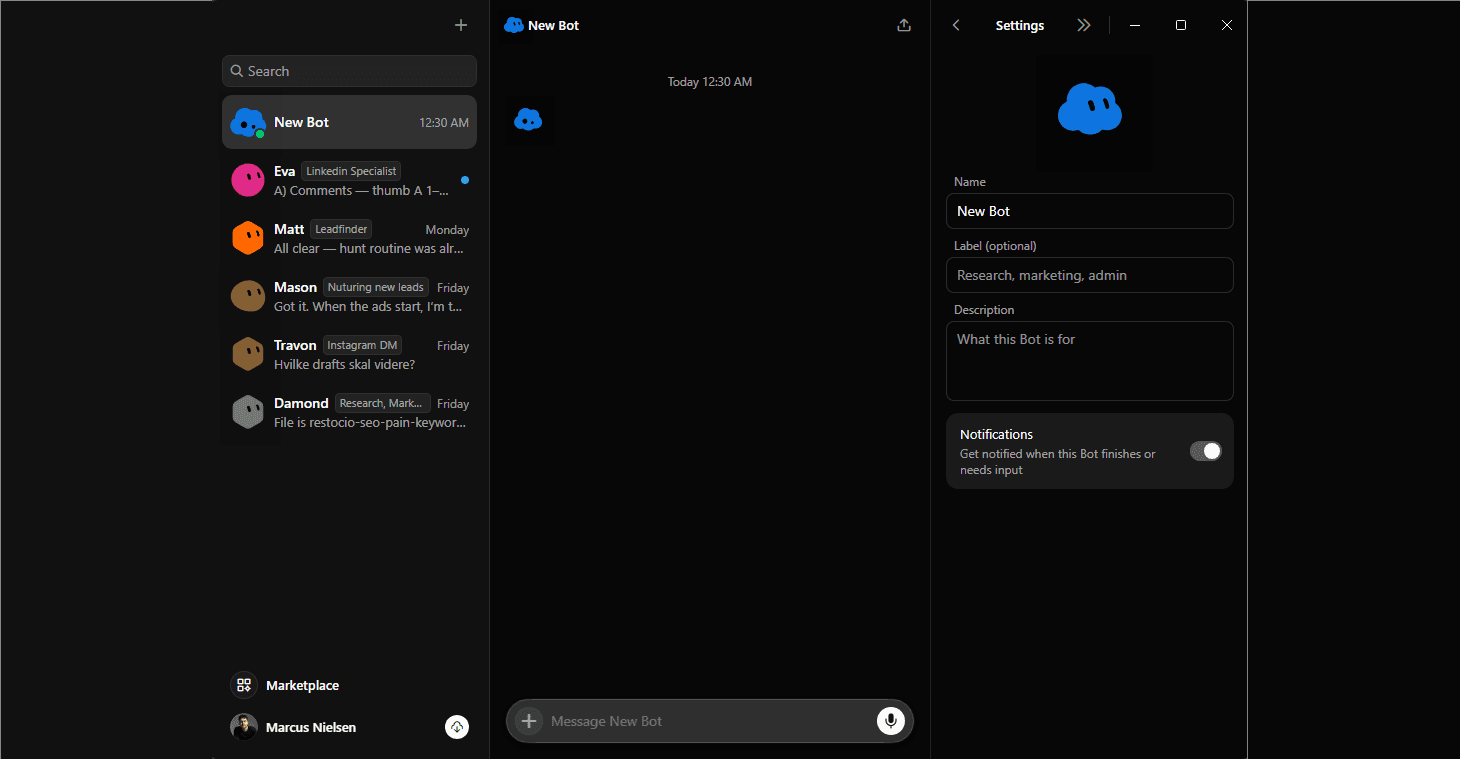
Yes, GrokBot is real, and it's Elon Musk's, not mine. It's xAI's own product: a team of always-on AI agents that xAI itself describes as teammates rather than a chatbot. It launched in beta on August 11, 2026, alongside the Grok 4.6 model, built jointly by xAI and Cursor.
Here's how it works, three jobs worth pointing it at, and the official trick for running bots that manage other bots.
What GrokBot Actually Is
GrokBot is not the Grok chatbot you type questions into on X or grok.com. It's a separate, newer product built on top of it. Each bot is a named agent with its own cloud computer, and it works inside the same apps, inboxes, and websites a human employee would, including ones with no clean API or plugin. You message it like you'd text a colleague, hand it a job, and it goes and does it instead of just answering a question about it.
The old model was a chatbot that answers when you ask. GrokBot is a teammate that keeps working after you stop typing, and only interrupts you when it actually needs a decision.
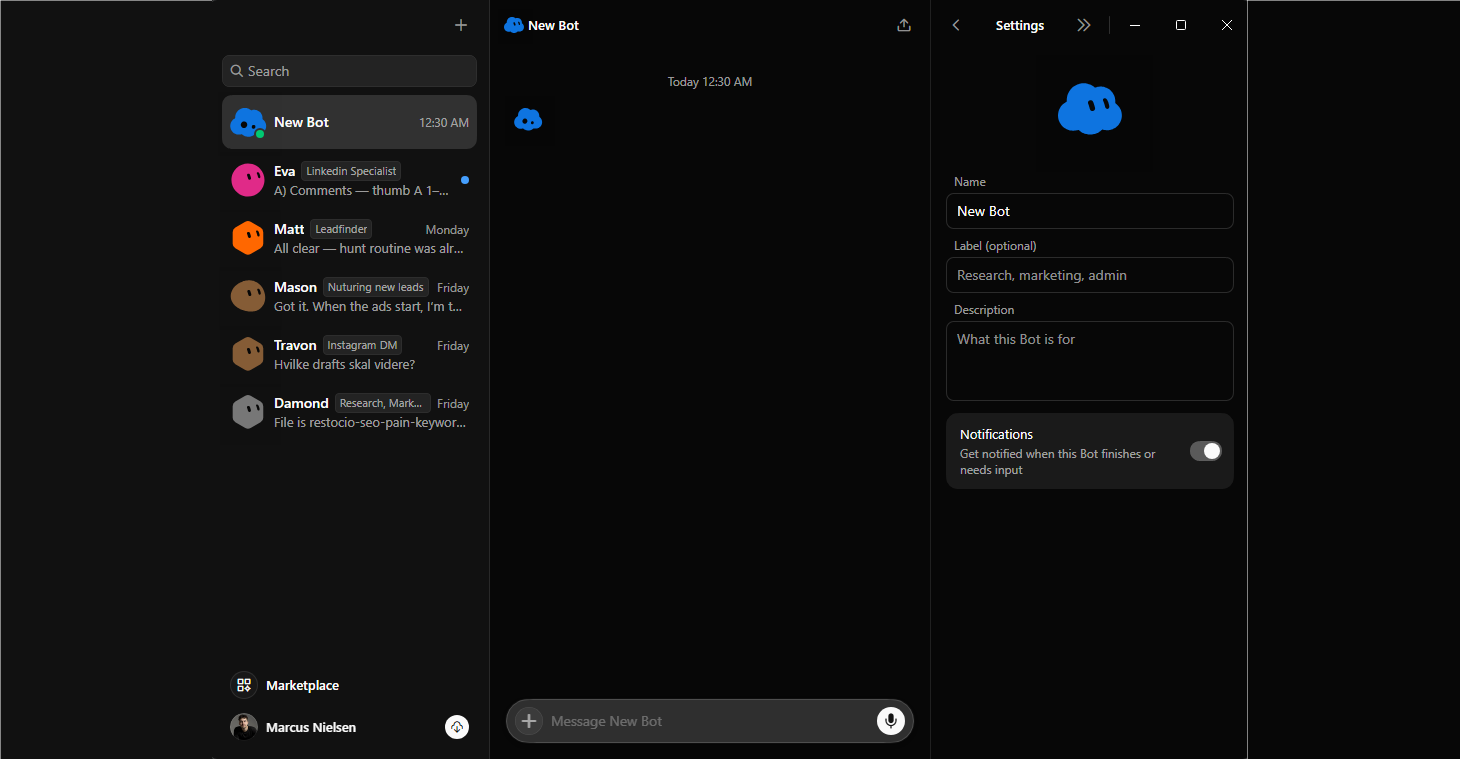
Making one requires no technical knowledge at all. There's no code, no settings menu to get lost in. You type a name, and that's genuinely most of it.
Setting It Up
1. Get access. GrokBot ships inside SuperGrok Heavy, xAI's top consumer tier, or through a Cursor plan (Cursor Ultra or Cursor Teams Premium), since xAI and Cursor built it together. Enterprise access is a waitlist for now. It runs on desktop (Mac and Linux) and iOS, with Android rolling out. Check x.ai for current pricing, since this is beta and terms are still moving.
2. Name a bot. The name defines its job. Type "lead finder" or "ad account watcher" and GrokBot infers what you mean and proposes a starting workflow from there.
3. Brief it in plain language. What your business is, what a good lead looks like, what it should only ever draft versus what it should never send without asking you first. This step matters more than any setting you'll click. A vague brief produces vague, generic work.
4. Connect its tools. There's a Marketplace, one click away in the sidebar, with one-click plugins for the common ones: Gmail, Google Drive, Google Calendar, Notion, Slack, CRMs, and a growing list of others. Authorize a tool once and every bot you build afterward can use it, you don't reconnect Gmail for each new bot. For anything without an official plugin, and as of now that includes Facebook Ads Manager, WhatsApp, and Instagram, it falls back to controlling the actual website in a browser tab. And the genuinely easy part: you don't have to go find that login screen yourself. Just tell the bot to log in, and it walks itself through it, logged in exactly as you would be. That means a one-time sign-in, and it, not an API, does the clicking from there.
5. Teach it the repeatable part. Do the task once while it watches, and it saves your demonstration as a routine it can run on its own afterward. This is the fastest way to hand off something you already do by hand every week.
6. Give it one small job first. GrokBot is built to come back and ask before anything risky rather than asking for direction at every step, but you decide what counts as risky the first time you brief it. Check its first few outputs by hand before you let a routine run unsupervised on a schedule.
Use Case 1: Finding Leads
Brief a bot named something like "lead finder" with your ideal customer in plain language: the industry, the size, the one signal that tells you they're worth contacting. Because Grok's models search the live web and X in real time, it can go find companies matching that description and open their sites the way you would, then come back with a shortlist where every row already has the "why," the company, the contact, and the one specific thing worth mentioning when you reach out.
This is the use case to start with. It needs no special plugin at all, just the brief, so it's the fastest way to see whether GrokBot is actually reliable before you hand it anything touching a live account.
Use Case 2: Watching Your Facebook Ads Manager
There's no dedicated Ads Manager plugin yet, so a bot handles this through the browser fallback, logged into your account the same way you'd be logged in yourself. Ask it plain questions on whatever schedule suits you: which ad sets are spending with nothing coming back, which creative has gone stale, how this week compares to last. It hands you a short written answer instead of you opening the dashboard and doing the math.
Use Case 3: Drafting (Not Sending) DMs on WhatsApp and Instagram
Same situation, no official plugin, browser fallback, and this is the one where that matters most. WhatsApp and Instagram actively detect and shut down accounts sending bulk, automated, identical messages, and neither platform has anything like the "opt out and move on" culture email has. A banned business account doesn't come back. You lose the number, the followers, the history.
So here's the version that actually holds up: the bot reads the prospect's page and drafts a message that references something real about them, not a template with a name swapped in. You read it and hit send, yourself, slowly, from your real logged-in account. Never let a routine fire off DMs on a schedule unattended, no matter how tempting that sounds, because unattended bulk messaging on these platforms is exactly the pattern they're built to catch.
Protips: Running Bots That Run Bots
The workplace-hierarchy idea isn't something you have to build yourself, xAI built it in. Their own term for it is a "chief of staff" bot that manages specialists handling distinct functions. Bots message each other, share context in threads, and coordinate in group chats, escalating only the judgment calls to you.
Start with a chief of staff. One bot whose only job is coordination: deciding which specialist handles what and stitching the results together for you. It shouldn't do the grunt work itself, the same way a real chief of staff doesn't do the filing.
Give each specialist a role, not a task. Name it for a category of ongoing work, "lead finder," "ad watcher," "outreach drafter," not a one-off request. A role can be reused every week. A task is done once and forgotten.
Bring bots into one conversation with @-mentions so they hand off threads and share context with each other directly, instead of you relaying information between separate chats by hand.
Let it choose plugin versus browser control itself. It's designed to pick whichever is faster and more reliable for the specific step it's on. You don't need to micromanage that choice.
Escalating only judgment calls to you is the default behavior GrokBot is built around, not something you have to configure. But you still set the bar the first time you brief each bot on what actually counts as a judgment call for its job.
Start with a chief of staff and two specialists. Not ten. This is beta: the plugin list is still filling in and "teach a task" is still maturing, by xAI's own admission. The version that works right now is small and reviewed, not fifteen bots running unattended in week one.
Bottom Line
The chief-of-staff pattern is genuinely one of the better-thought-out pieces of GrokBot. But it's early: no dedicated ads or social plugins yet, some features still maturing, and it sits behind a SuperGrok Heavy or Cursor subscription rather than a free tier. Start with lead finding, since it needs no special integration and is the fastest way to learn whether it's reliable enough to trust. Get comfortable with the chief-of-staff pattern there, then bring in the ad account and outreach bots once you've watched it earn that trust.
Want an agent system like this running in your business?
I set up AI agent workflows for founders who would rather point a team of bots at the boring parts of sales than do them by hand. If that's you, let's talk about what your version looks like.
Tell me about your business