Claude Code Now Works With Your Laptop Closed. Here's How to Claim Up to $250 to Try It
Anthropic just made Claude Code cloud sessions available to everyone on Pro and Max. Start a task, close your laptop, and review the result from your phone. Existing subscribers get $100 (Pro) or $250 (Max) to try it, but only if you claim it by October 7. Here's the whole setup in plain English.

AI & Web Consultant · September 25, 2026
Back in April I wrote about Claude Code Routines, and the gap I kept coming back to was simple. Everything Claude Code did happened on my laptop. Close the lid, and the work stopped.
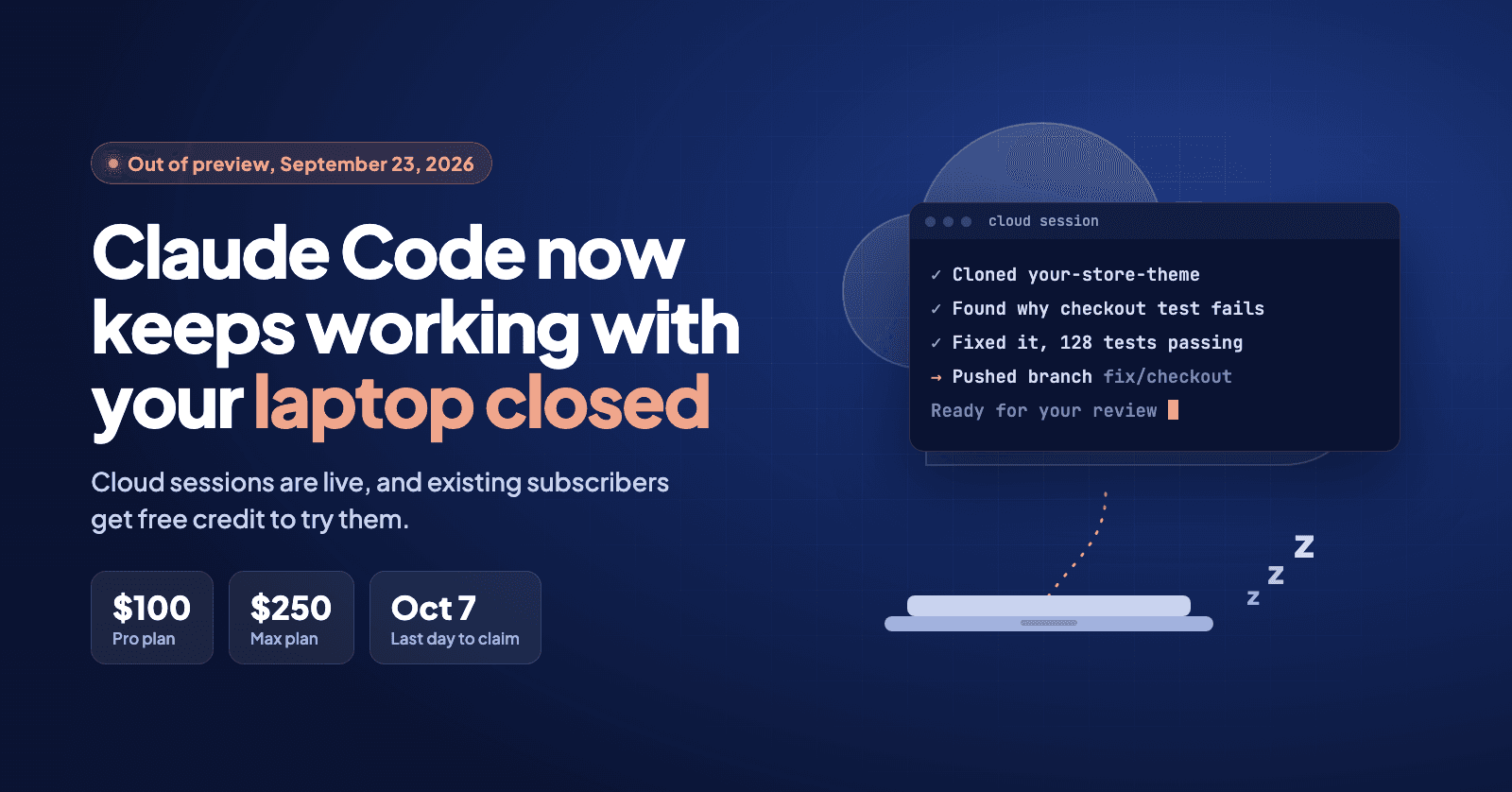
That gap is now closed for everyone. On September 23, 2026, Anthropic took cloud sessions out of research preview. You hand Claude Code a task, it runs on a computer Anthropic manages instead of yours, and you can shut your laptop and check the result later, even from your phone.
And to get people started, Anthropic is handing out free credit to try it.
First, the "$250 for everyone" Mix-Up
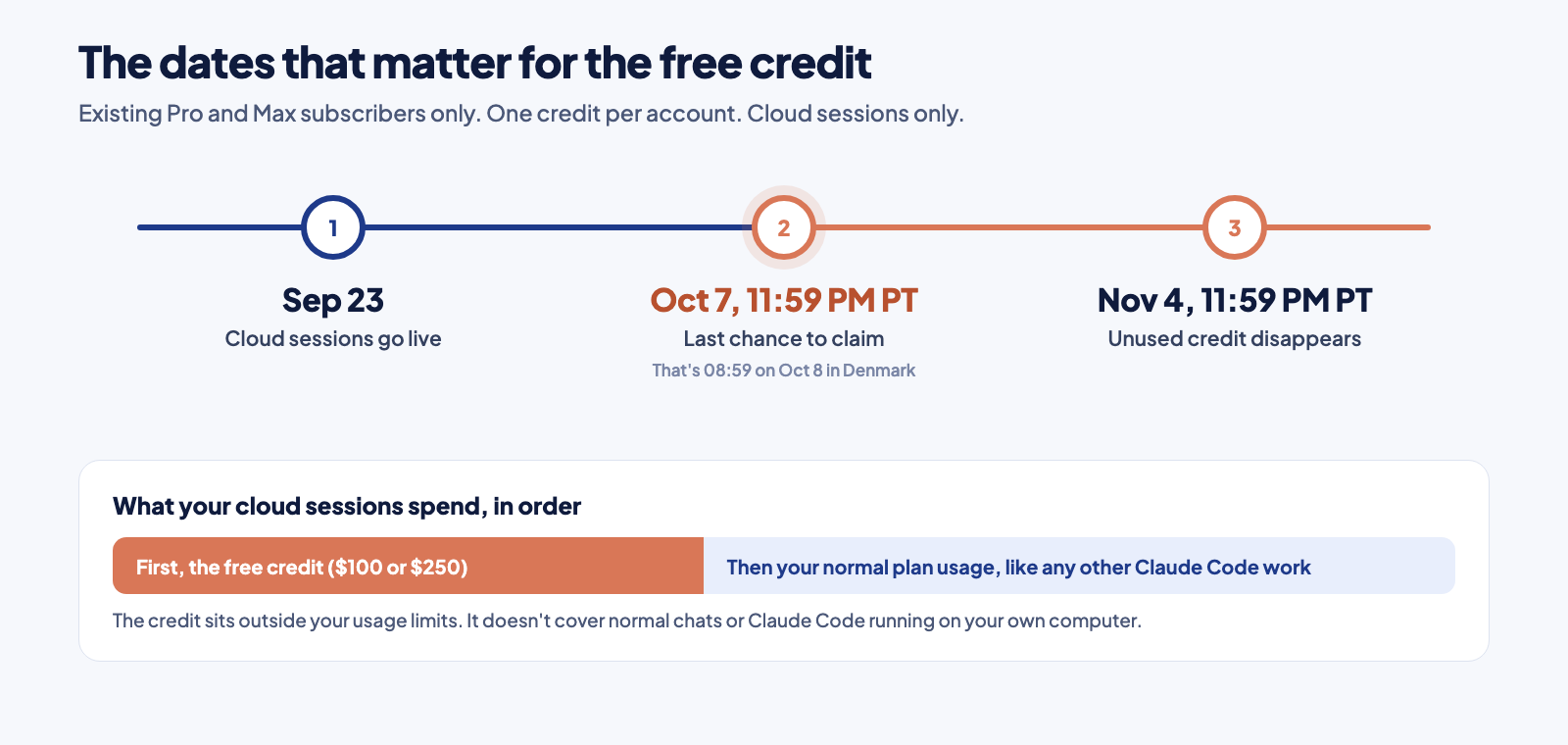
You'll see a lot of posts saying everyone gets $250. That's not right, and even some of the people who spread it have since corrected themselves. The amount depends on your plan.
The rest of the fine print, in plain words:
- It's only for people who already pay for Pro or Max. One credit per account.
- It only pays for cloud sessions. Normal chats in Claude, and Claude Code running on your own computer, still use your plan exactly like today.
- It sits outside your usage limits. Your cloud sessions spend the credit first. When it's gone, they fall back to your normal plan usage, like any other Claude Code work.
- Terms apply, so check the claim page to see what your own account gets.
What a Cloud Session Actually Is
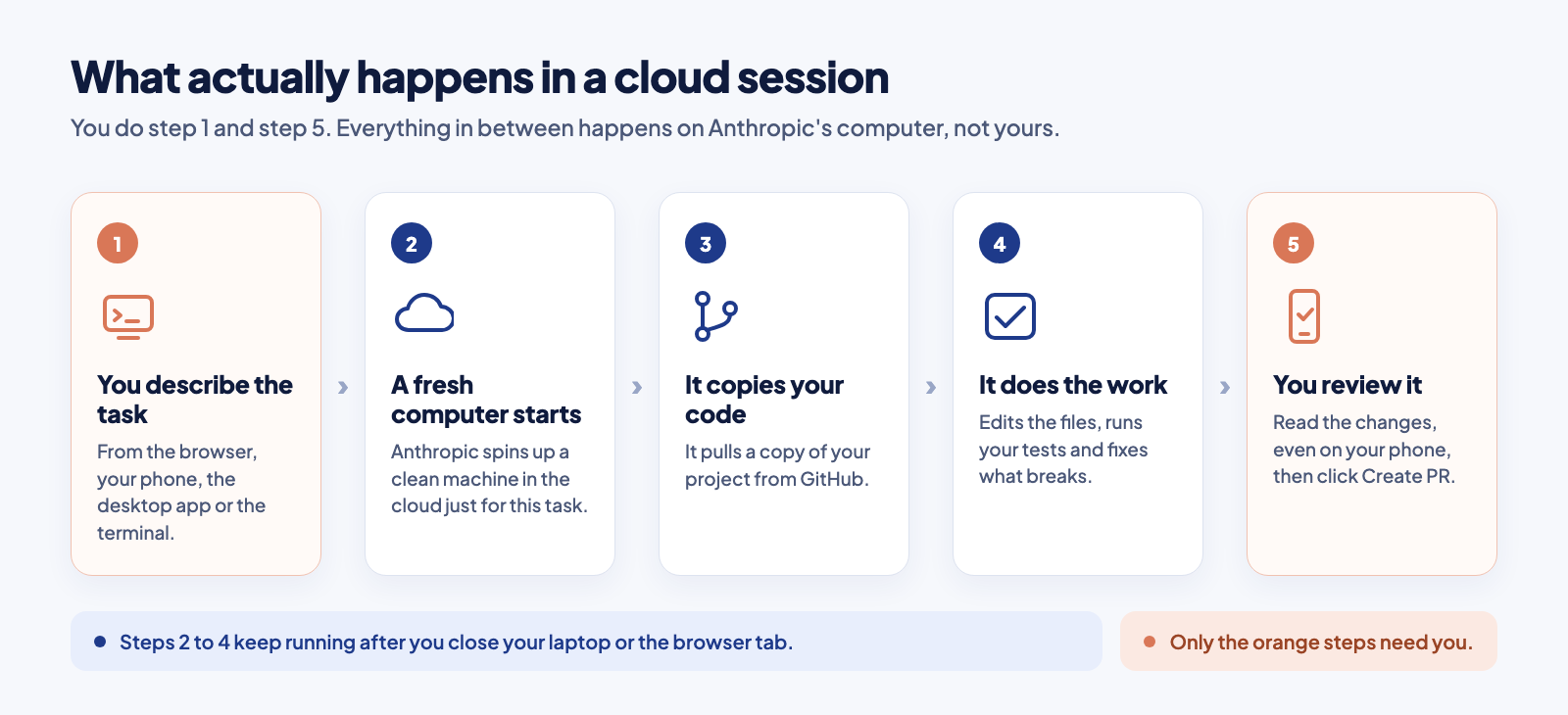
Normally, Claude Code runs on your computer. It reads the files on your machine, runs commands on your machine, and when your machine goes to sleep, so does Claude.
A cloud session moves all of that onto a computer Anthropic runs for you. You point it at a project on GitHub and describe the task. It copies the project, does the work, runs the tests, and saves the result on a separate branch, so nothing reaches your live site until you've looked at it.
If a few of those words are new to you, here's what they mean:
- GitHub is the website where most developers keep their code. Cloud sessions need it, because that's where Claude picks your project up from.
- A repo (short for repository) is one project on GitHub, like your website or your Shopify theme.
- A branch is a separate copy of your code where changes can happen without touching the live version.
- A pull request, or PR, is how you say "I've checked these changes, now merge them in." Nothing goes live until you do this yourself.
You no longer have to sit and watch it work. Start the task, close the laptop, and come back to a finished branch waiting for your review.
Step 1. Connect GitHub (Only Once)
- 1Go to claude.ai/code and sign in.
- 2Connect your GitHub account and approve the access it asks for.
- 3If your code is private, install the Claude GitHub App on the account or organization that owns it. Public repos work without it.
- 4Claude sets up a starting environment called Default. Leave it as it is for your first session.
Already use GitHub's command line tool? There's a shortcut. Sign in to it first:
gh auth loginThen run this inside Claude Code:
/web-setupIt asks you to confirm, then links your GitHub login to your Claude account. Cloud sessions can then reach every repo that login can see, even without the GitHub App.
/login and sign in with your Claude account. Signing in with an API key doesn't count here.Step 2. Claim the Credit
Inside Claude Code, run:
/claim-creditOr use the claim link in Anthropic's announcement on X. Either way takes a minute.
Step 3. Start Your First Cloud Session
There are four ways in. Pick whichever you already use.
From the Browser
- 1Open claude.ai/code.
- 2Pick the repo and the branch under the text box.
- 3Pick a mode. Plan shows you how it wants to solve the task before it changes anything. Accept edits does the work and pushes a branch without stopping to ask.
- 4Describe the task and press Enter.
From the Terminal
claude --cloud "Fix the failing test in tests/test_auth.py and explain the cause"This starts a cloud session for the project you're standing in. One thing catches people out. It copies your branch from GitHub, not the files on your laptop, so push your latest changes first, or the cloud won't see them.
When you want the work back on your own machine, run:
claude --teleportYou pick a session from a list, and it fetches the branch and loads the whole conversation into your terminal.
From the Desktop App
Choose Cloud instead of Local when you start a session. Already have a local session going? Use the Continue in menu to send it to the cloud.
From Your Phone
Open the Code tab in the Claude app. You can start sessions there, and it's also the easiest place to check on the ones already running.
What to Give It First
It works best on jobs that don't need you watching. Write the task as if you're handing it to someone who can't ask you questions. Name the file, paste the error, and say what "done" looks like.
A good first task looks like this:
Find why the checkout test fails, fix it, run the full test suite, and push a branch with a short summary of what changed and why.Where it really shines:
- Several tasks at once. Every task gets its own session and its own branch. Start three before lunch and review them in any order.
- Projects you don't have on your laptop. It copies a fresh version from GitHub every time, so there's nothing to download or install first.
- Questions about a codebase. Ask how a feature works, or where something is set up, without checking anything out yourself.
Running three at once from the terminal is just three lines:
claude --cloud "Fix the flaky test in checkout.spec.ts"
claude --cloud "Update the README with the new setup steps"
claude --cloud "Find and remove unused CSS in the theme"
Reviewing What It Did
When a session is done, you'll see a small counter like +42 -18 next to it. Click it to see every line it added and removed. You can comment on the exact lines you want changed and send them straight back to Claude. Happy with it? Click Create PR.
The session stays open afterwards. If a check fails or a colleague leaves a review comment, paste it in and it picks up where it left off.
How I'd Use It as a Shopify and Web Developer
This is the part that gets me excited, because so much of my client work is exactly the kind of task you can hand off and walk away from.
- Theme fixes from anywhere. A client writes that the cart drawer breaks on mobile. I describe the bug from my phone, the fix runs in the cloud, and I review the branch before it goes anywhere near the live store. If the theme is connected through Shopify's GitHub integration, that branch can sit on an unpublished theme so the client can preview it first.
- Several conversion tests at once. Three versions of a product page, three sessions, three branches. Compare them side by side and keep the one worth testing live.
- An SEO sweep of the code. Missing alt texts, duplicate page titles, missing structured data. One session, one branch, and a list of everything it changed.
- The night shift. Kick off the boring maintenance task before bed and read the result with your morning coffee.
Every task I'd normally put off because it needs an hour of focus is now a two-line brief and a review.
What to Know Before You Rely on It
- It only sees what's in the repo. Your local settings, tools and files outside the project aren't there.
- It needs GitHub. If you'd rather not connect GitHub, Remote Control runs Claude Code on your own computer and lets you check in from your phone instead.
- Closing the browser tab doesn't stop it. It finishes what it's doing and then waits for you.
- Internet access is limited by default to common package sources and a list of trusted sites. You can change that in the environment settings.
- It still counts once the credit is gone. Cloud sessions share your plan's limits with the rest of your Claude usage, so ten sessions in parallel use them up faster, just like doing the same work locally would.
- Idle sessions go to sleep. If it waits too long for you, the cloud computer is shut down. Reopen the session and your conversation comes back, but anything that was still running has to start over.
Your Checklist
Bottom Line
Cloud sessions are the piece Claude Code was missing. It stops being something you sit next to and becomes something you hand work to. The free credit is simply the cheapest way to find out whether that fits how you work.
Claim it today, give it one boring task you've been putting off, and see what's waiting for you tomorrow morning.
Everything above is checked against Anthropic's launch announcement, their clarification on how the credit is spent and the official Claude Code cloud documentation. Terms apply, so double-check the claim page for your own account.
Want Claude Code working on your store while you sleep?
I set up Claude Code workflows for Shopify stores and websites, from theme fixes to conversion tests running on their own branches. If you want that running for your business, let's talk about what your version looks like.
Tell me about your project